Product Design
Microsoft Defender Reports
Microsoft Defender reports enable security teams to view information about detected threats, device status, and more. However, the existing reports in Defender were too static and not customizable enough to meet the unique needs of each customer.

The Problem
User Research across multiple Microsoft security products shows that reporting experiences are often static, difficult to customize, and inconsistent with user expectations. Customers need more flexible, discoverable, and role-relevant reporting tools to effectively meet their organizational requirements.
User Research across multiple Microsoft security products shows that reporting experiences are often static, difficult to customize, and inconsistent with user expectations. Customers need more flexible, discoverable, and role-relevant reporting tools to effectively meet their organizational requirements.

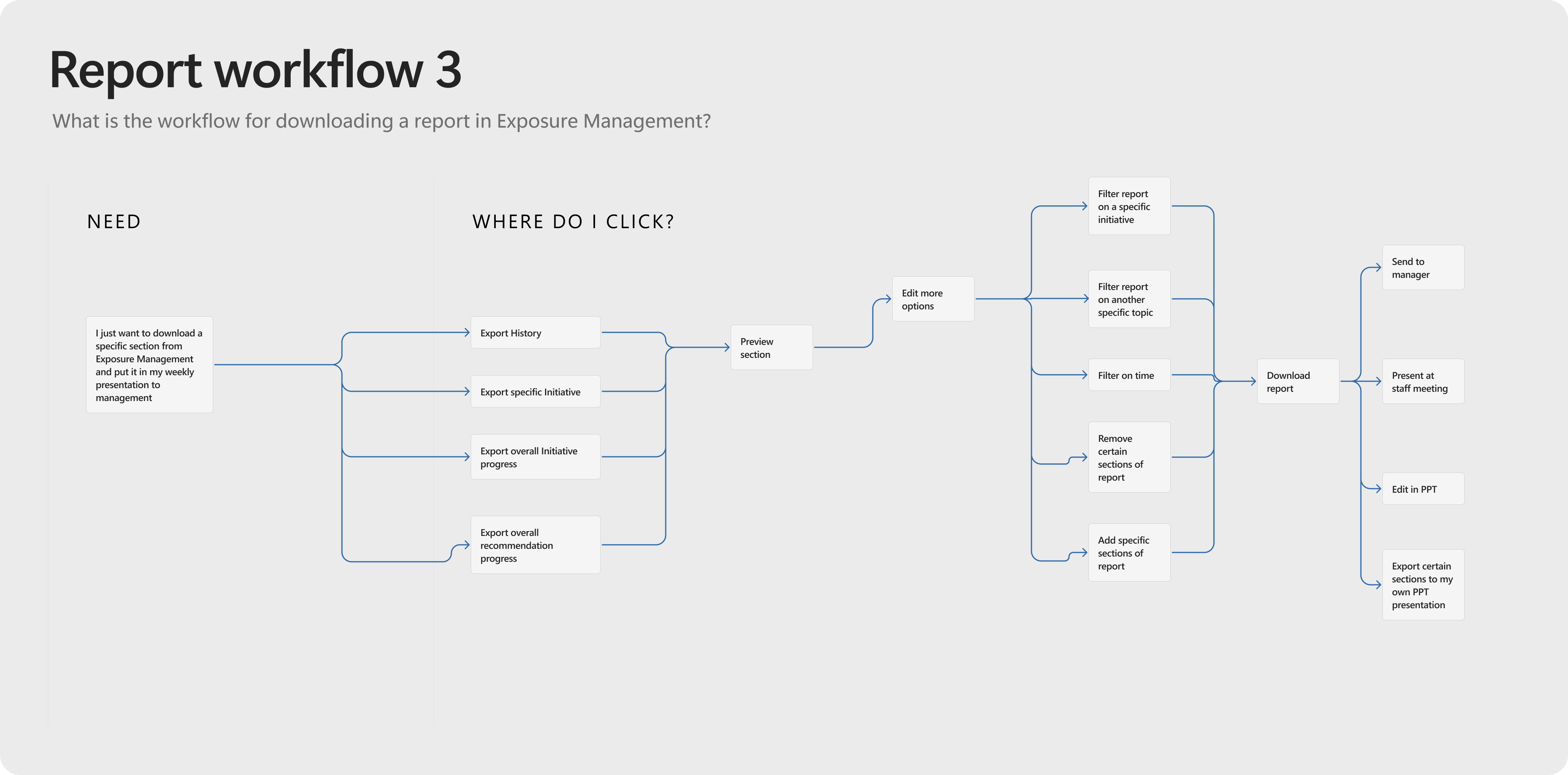

User journey options mapped out for report work flows
The Process
- User Research Collection: I gathered insights from interviews, surveys, and existing data to understand user needs, behaviors, and reporting challenges.
-
User Journey Mapping: I visualized the end-to-end reporting experience to identify pain points, opportunities, and moments that matter most to users when consuming reports.
-
Competitor Analysis: I evaluated how other tools and platforms approach reporting to uncover best practices and areas for differentiation.
- Feasibility with VS Coding: I created a developed prototype of report behavior to understand engineering capabilities for customization
- User Testing: Once a re-design concept was establised, I validated reporting concepts and prototypes with real users to ensure usability, discoverability, and alignment with user expectations.
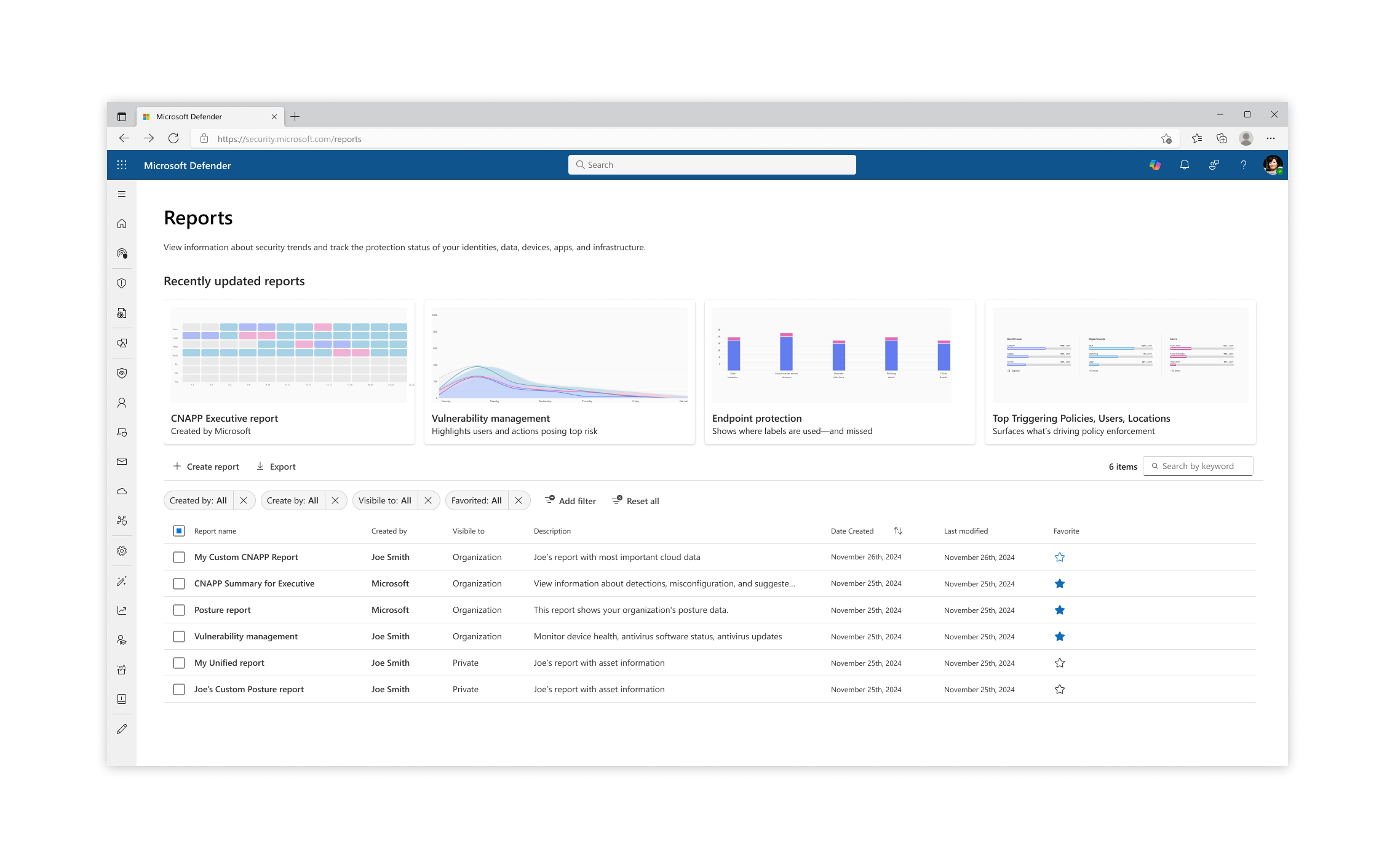
Re-design for the Reports catalog, which now included template reports created by Microsot as well as Custom User made
![]()
![]()
![]()
Flows & interactions for custom report create from scratch, report creation from template, and card creation
![]()
Developed prototype using VS Code
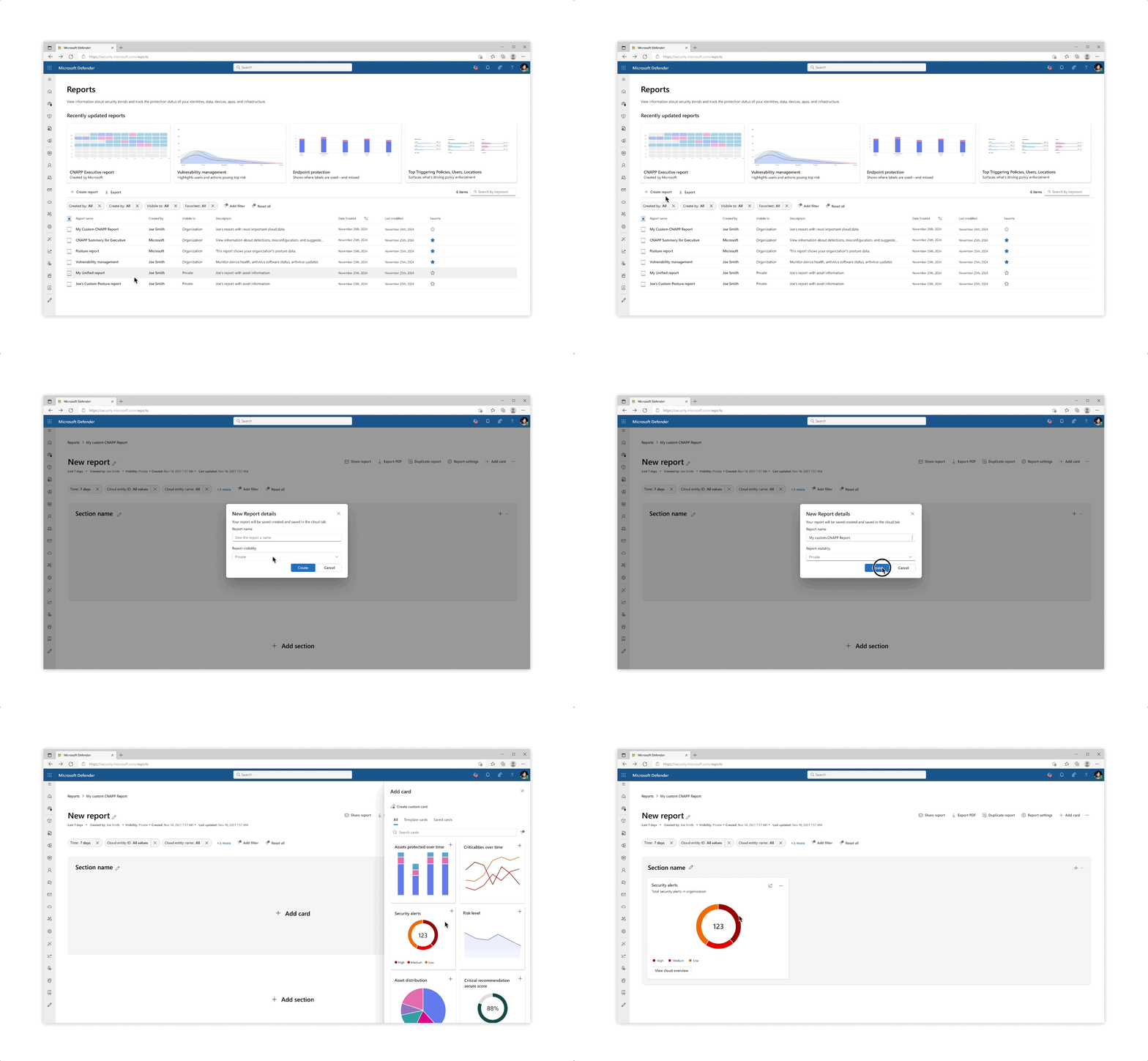

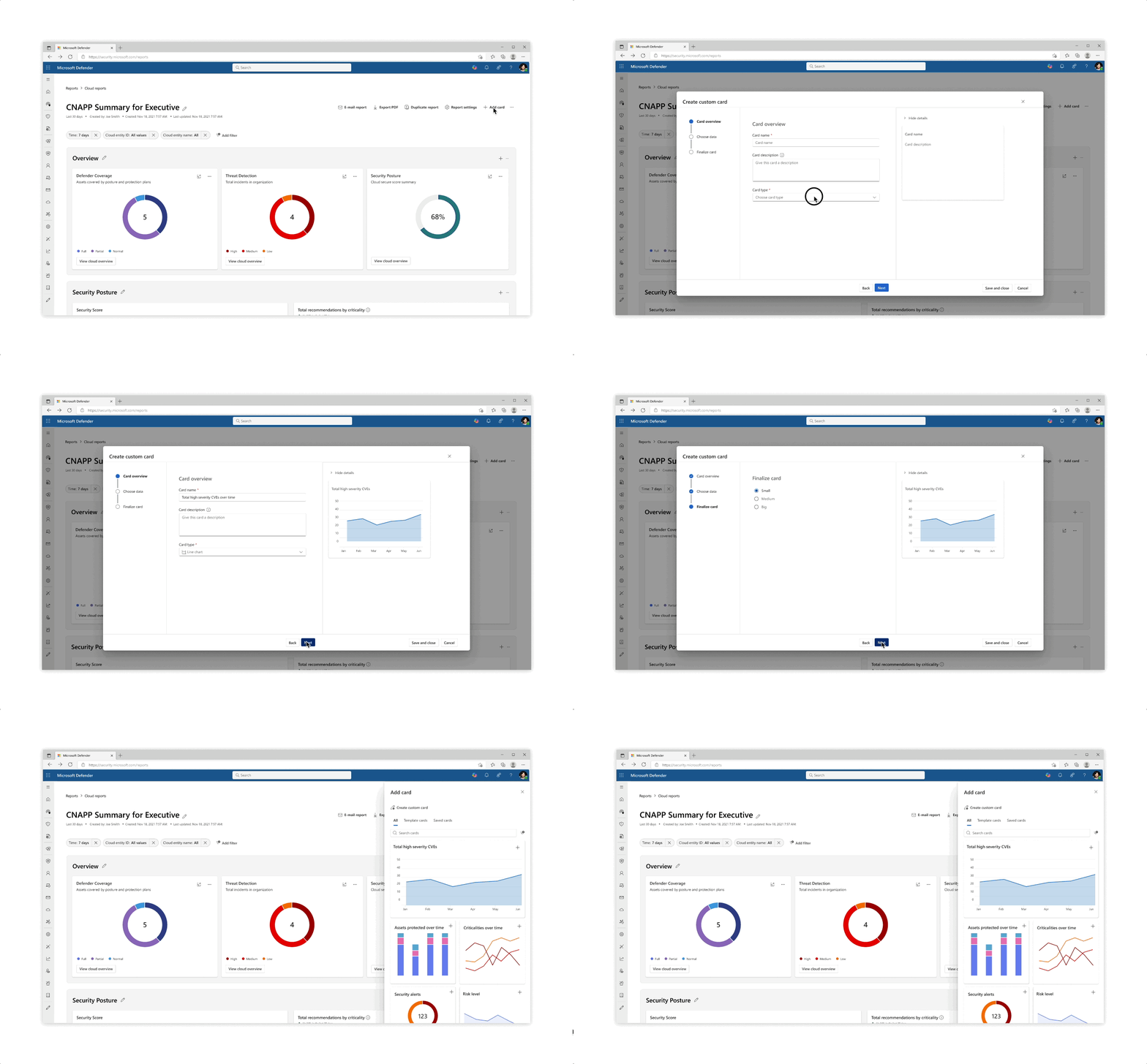
Flows & interactions for custom report create from scratch, report creation from template, and card creation
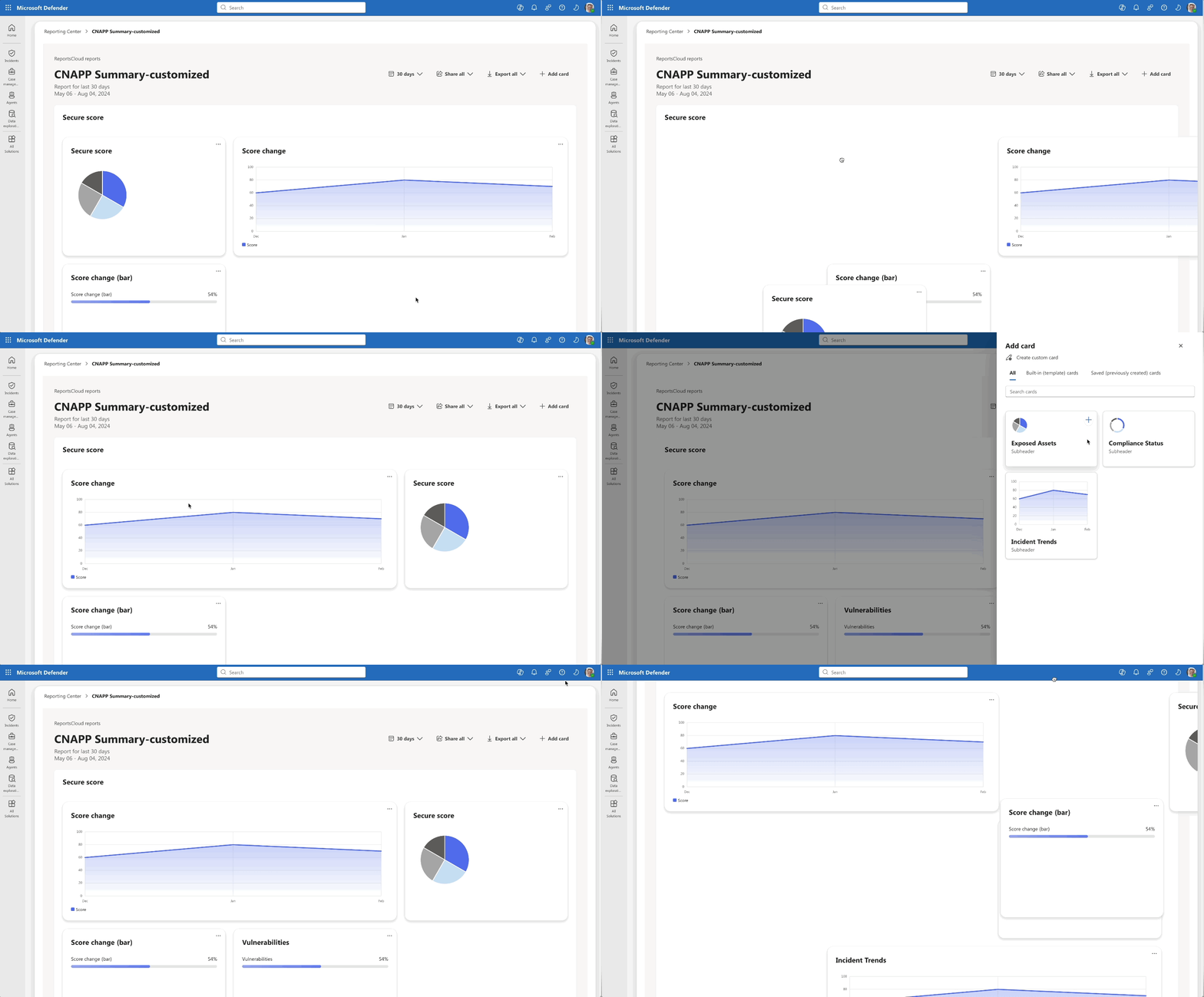
Developed prototype using VS Code
Challenges
- Clarity of Templates: Users struggle to understand the differences between Microsoft’s suggested template reports, making it difficult to choose the right starting point.
-
Customization Overload: The level of customization available can feel overwhelming, especially for users who just want to make quick edits or simple adjustments.
- Data Flexibility: Ensuring that data structures are flexible enough to seamlessly fit into predesigned cards or report components remains a key challenge.

AI Integration
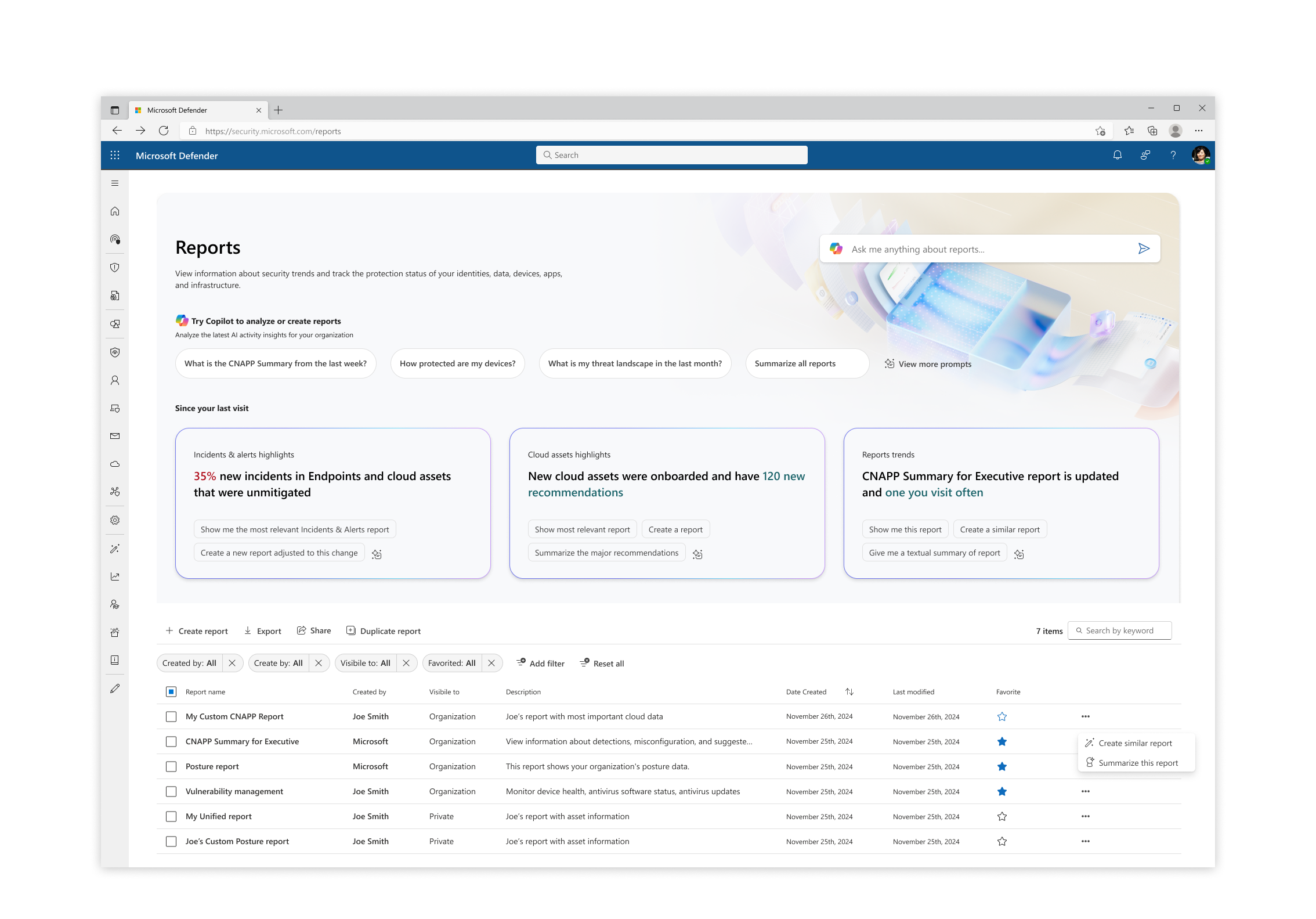
AI integration: The integration of Copilot introduces suggested prompts for report summaries, additional data, and general insights. These features guide users through the reporting process, making it easier to create meaningful and well-structured reports.
AI integration: The integration of Copilot introduces suggested prompts for report summaries, additional data, and general insights. These features guide users through the reporting process, making it easier to create meaningful and well-structured reports.

Takeaways
- Impact: Conducting user research provided a strong foundation to define an MVP that directly addressed customer pain points and guided improvements to the product experience.
-
Learning: More customization doesn’t always lead to happier users—striking the right balance between flexibility, simplicity, and helpful AI integrations is key.
- Improvement: I would focus on improving clarity in the reporting experience and highlighting the most important reports to help users find value faster.